
Is an Air Purifier Worth Buying for Home Office Dust?
Table of Contents
- Do Air Purifiers Actually Remove Dust in Home Offices?
- How Air Purifiers Work for Dust Control
- How to Reduce Dust in Home Office Environments
- CADR Ratings Explained: What You Need to Know
- Key Features to Look for in a Dust-Focused Purifier
- Air Purifier Maintenance Costs and Filter Replacement
- Is the Investment Worth It for Your Home Office?
- Frequently Asked Questions
Last Updated: September 19, 2026
Do Air Purifiers Actually Remove Dust in Home Offices?
Yes, an air purifier home office dust solution can meaningfully reduce airborne dust in home office spaces, but it works within important limits. An air purifier for home office dust control targets particles suspended in the air, the dust you see floating in sunlight or that settles on surfaces within hours. What they cannot do is eliminate dust already settled on your desk, keyboard, or shelves. That distinction matters because many people buy a purifier expecting it to replace regular cleaning, then feel disappointed when surfaces still accumulate dust.
The reality is more nuanced. A quality air purifier removes airborne particulate matter continuously while the device runs. For people with dust sensitivity or respiratory concerns, this creates meaningful relief. Your breathing improves. Allergy symptoms often decrease. But the device isn’t a magic solution, it’s one part of a dust-management strategy that should also include regular wiping and vacuuming.
According to the EPA’s guidance on indoor air quality, airborne particles are one of the primary indoor air quality concerns in occupied spaces. An air purifier addresses this specific problem effectively. The question isn’t whether purifiers work, but whether the benefit justifies the cost and maintenance commitment for your particular situation.
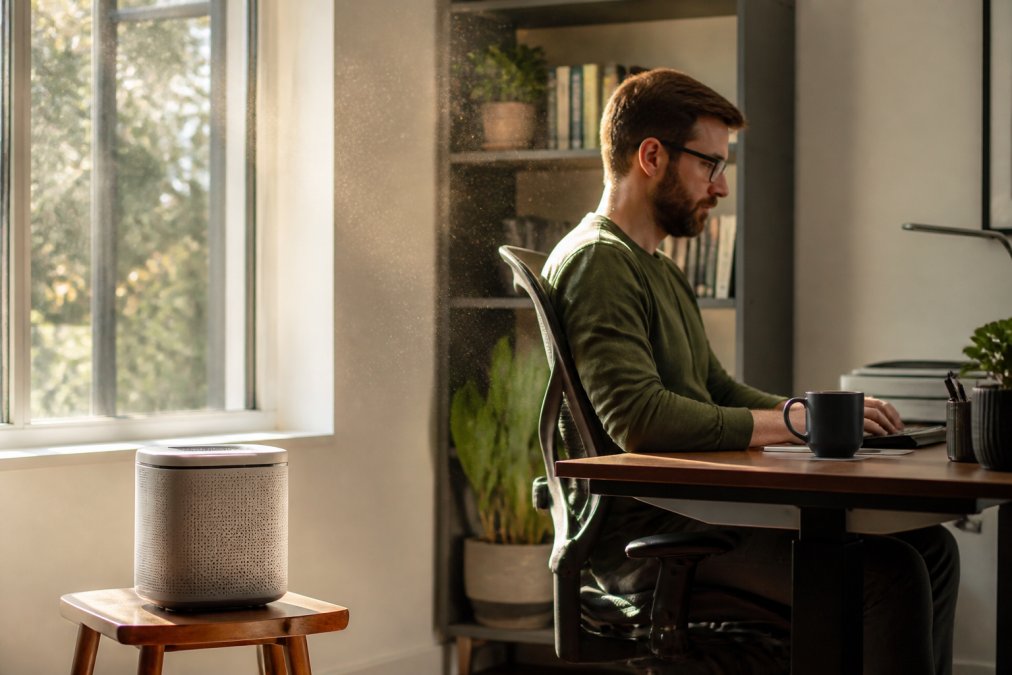
How Air Purifiers Work for Dust Control
Air purifiers operate on a simple principle: draw air through filters that trap particles, then return clean air to the room. The effectiveness depends on filter quality, airflow rate, and how the device is positioned. Most modern purifiers use a multi-stage filtration system starting with a pre-filter for larger particles, followed by a HEPA filter for fine dust, and sometimes activated carbon for odors.
The Aero Essence LLC SR100 represents this approach well. It targets nine distinct types of pollutants including dust mites, pet dander, and pollen through a high-performance filtration system. What distinguishes it is the visual confirmation feature, you can see the device actively working through its air quality indicator, which many people find reassuring when they’re uncertain if an air purifier is actually doing anything.
The core mechanism is straightforward: the motor creates negative pressure that pulls surrounding air toward the filters. As air passes through, particles get trapped. Cleaned air exits through vents. The continuous cycle gradually reduces the concentration of airborne dust in the room. Larger particles settle faster naturally, but smaller dust particles, including dust mites and their allergens, remain suspended longer without filtration.
Airborne vs. Settled Dust: What Purifiers Can and Cannot Do
This distinction determines whether an air purifier for home office dust control will solve your problem. Airborne dust is particles currently floating in the air. Settled dust is particles that have already landed on surfaces. An air purifier tackles the first category effectively; it cannot reach the second without additional cleaning.
If you work at a desk for eight hours daily, settled dust accumulates on your monitor, keyboard, and papers. An air purifier running in the background reduces the rate at which new dust settles, but it doesn’t remove dust already on surfaces. This is why people often report that their allergies improve after installing a purifier, yet they still see dust on their desk, both things are true simultaneously.
The practical implication: buy an air purifier if airborne particles trigger your symptoms or allergies. Don’t buy one expecting it to eliminate the need for regular dusting and surface cleaning. The two approaches complement each other rather than replace each other.
Static Electricity and Dust Attraction in Office Spaces
Home offices create unique dust conditions that most guides overlook. Your computer equipment generates electrostatic charge. This charge attracts dust particles, which is why dust accumulates faster around monitors, keyboards, and electronics than in other areas of your home.
Static electricity causes dust to cling to surfaces more aggressively than gravity alone would. A device running for hours creates a localized electrostatic field. Dust particles become attracted to these surfaces, settling faster and adhering more stubbornly. This explains why office workers often notice dust concentration around their primary work area.
An air purifier reduces the airborne dust available to be attracted to electronics in the first place. By continuously filtering the air near your desk, the purifier lowers the dust particle density. Fewer particles in the air means fewer particles available to be pulled toward your charged equipment. This is a secondary benefit beyond general dust removal, it’s specific to how office environments accumulate dust differently from living rooms or bedrooms.
How to Reduce Dust in Home Office Environments
Effective dust reduction combines air purification with environmental controls and cleaning practices. Position your air purifier within 5-10 feet of your main work area for maximum effectiveness. Placement matters because the device can only filter air it actually draws in. Placing it in a corner away from your desk reduces its impact on the air you breathe while working.
Maintain proper humidity levels between 40-50 percent. Dry air makes dust particles float longer and settle more slowly. Humid air causes particles to become heavier and settle faster, which means less time suspended where you’d breathe them. A humidifier paired with an air purifier creates better dust control than either device alone.
Reduce dust sources directly. Avoid fabric-heavy office setups, use wood or metal shelving instead of cloth-covered bookcases. Keep papers organized in drawers rather than stacked on surfaces. Minimize textile items like upholstered chairs if possible. Each of these changes reduces the dust that becomes airborne in the first place.
Vacuum your office weekly with a HEPA-filter vacuum if you have carpet, or sweep hard floors. Wipe surfaces with a damp cloth rather than dry dusting, which disperses particles into the air. These practices remove settled dust before it can be disturbed and become airborne again.
CADR Ratings Explained: What You Need to Know
CADR stands for Clean Air Delivery Rate. It measures how many cubic feet per minute of clean air a purifier delivers for specific pollutants: dust, smoke, and pollen. A CADR rating of 200 for dust means the device delivers 200 cubic feet per minute of dust-filtered air.
The higher the CADR, the faster the purifier cleans a given room size. A purifier with a dust CADR of 150 is adequate for small rooms (under 150 square feet). A CADR of 250-300 handles medium offices (150-300 square feet). Larger open-concept spaces require CADR ratings above 300.
Match the CADR rating to your room size. If your home office is 200 square feet, a purifier with a dust CADR of 200 will cycle the entire room’s air approximately 4-5 times per hour, considered the minimum for effective dust reduction. Many people choose higher CADR ratings for faster air exchange, which means more aggressive dust removal.
The CADR rating also accounts for how the air moves through your space.
Key Features to Look for in a Dust-Focused Purifier
When evaluating an air purifier home office dust control system, prioritize filtration quality, room coverage, noise level, and maintenance costs. These factors determine whether the device will actually reduce your dust exposure and remain practical to operate daily.
HEPA Filtration and Particulate Matter Capture
HEPA filters are the gold standard for dust capture. A true HEPA filter removes 99.97 percent of particles 0.3 microns or larger (the EPA). This includes dust mites (10-100 microns), pet dander (5-10 microns), and pollen (10-100 microns). If the purifier you’re considering doesn’t use HEPA filtration, it won’t capture fine dust effectively.
Room Coverage and Airflow Circulation
Choose a purifier sized for your office space. A device with insufficient CADR for your room size won’t clean the air fast enough to make a noticeable difference. Conversely, oversizing the purifier ensures rapid air exchange and faster dust reduction.
Air Purifier Maintenance Costs and Filter Replacement
Filter replacement is the primary ongoing cost of owning an air purifier. HEPA filters typically require replacement every 6-12 months depending on usage and dust levels. Pre-filters may need replacement more frequently. Budget for these costs before purchasing.
Is the Investment Worth It for Your Home Office?
The answer depends on your specific situation. An air purifier for home office dust control makes financial and health sense if you experience dust-related allergy symptoms, work in a dusty environment, or have respiratory sensitivities. If you rarely notice dust or have no allergy concerns, the investment may not be justified.
Frequently Asked Questions
Do air purifiers actually reduce dust on surfaces in a home office?
Air purifiers capture airborne dust particles through HEPA filtration and particulate matter collection, reducing dust that would otherwise settle on surfaces over time. However, they work best as part of a combined approach, regular dusting and vacuuming remain necessary because settled dust already on desks, shelves, and equipment falls outside the purifier’s reach. For pet dander and pollen, which remain airborne longer, air purifiers deliver measurable results.
What CADR rating do I need for a home office dust control setup?
CADR (Clean Air Delivery Rate) ratings measure how quickly a purifier cleans air for dust, smoke, and pollen. For a home office (typically 100-300 square feet), look for a CADR rating of at least 150-200 for dust. Higher ratings mean faster air exchanges and better filtration efficiency. Match the CADR to your room size and the severity of dust issues, wildfire smoke or pet dander may require a higher rating than general office dust.
How often do I need to replace air purifier filters and what will that cost?
Most HEPA filters require replacement every 6-12 months, depending on air quality and usage. Pre-filters may need changing more frequently, sometimes every 1-3 months. Budget for annual maintenance costs when calculating total cost of ownership. Some models offer longer filter life or lower-cost replacements, so factor this into your purchase decision alongside the upfront price.
Will an air purifier help with pet dander and mold spores in my home office?
Yes, HEPA filters effectively capture pet dander and mold spores, which are among the most common home office allergens. Air purifiers targeting these invisible particles work best when placed strategically in your workspace and run continuously during work hours. For mold concerns, an air purifier reduces airborne spores but does not address moisture problems or existing mold growth, those require separate remediation. Combining an air purifier with proper ventilation and humidity control yields the best results.