
Smart Air Purifier Energy Savings: How to Cut Costs
Table of Contents
- Why Smart Air Purifiers Use Less Power Than You Think
- How to Calculate Your Air Purifier Electricity Cost
- Smart Air Purifier Auto Mode: The Biggest Energy Saver
- Energy-Efficient Air Purifier Settings for Every Room
- Air Purifier Filter Maintenance: The Hidden Energy Cost
- Total Cost of Ownership: Energy, Filters, and Room Coverage
- Frequently Asked Questions
Last Updated: October 6, 2026
Why Smart Air Purifiers Use Less Power Than You Think
Smart air purifier energy savings start with one fact: most units draw less electricity than a standard light bulb on their lowest settings. A smart air purifier uses air-quality sensors and app controls to adjust fan speed automatically, running harder only when particle levels rise.
Here is what most guides get wrong: they quote a single wattage figure and call it a day. Real power draw swings wildly between low and high fan speeds, and that swing is where your money is won or lost.
The U.S. Department of Energy’s guide to appliance energy use makes the underlying math clear: cost depends on wattage, hours of use, and your local electricity rate. Change any one of those and the annual total moves.
Below, we break down how to calculate your air purifier electricity cost, which settings cut runtime, and what filter maintenance costs over a year.
How to Calculate Your Air Purifier Electricity Cost
Your air purifier electricity cost equals wattage multiplied by hours of use, divided by 1,000, then multiplied by your electricity rate. Everything else is plugging in your own numbers.
But a formula with no numbers tells you nothing about whether your unit costs $20 or $200 a year. So let’s run it with a method you can copy.
Step-by-Step Wattage to Annual Cost Formula
- Find the wattage on the unit’s label or manual, noting each fan speed if listed, not just the maximum.
- Estimate daily hours at each speed, the step people fudge and the one that moves the answer most.
- Multiply wattage by hours at that speed, then divide by 1,000 to get kilowatt-hours (kWh).
- Multiply kWh by your electricity rate per kWh.
- Add up the speeds, then multiply by 365 for the annual figure.
A common mistake is using maximum wattage for every hour. A unit on auto mode rarely runs at full speed all day, so using peak wattage for 24 hours can overstate annual cost several times over.
Worked Example: Two Operating Patterns, Same Unit
Say a unit draws roughly 5 watts on low, 25 watts on medium, and 60 watts at maximum, at a rate of $0.17 per kWh. Here is how two habits play out over a year.
| Operating pattern | Daily energy | Annual kWh | Annual cost at $0.17/kWh |
|---|---|---|---|
| Auto mode: 20 hrs low (5 W) + 4 hrs medium (25 W) | 0.20 kWh | ~73 kWh | ~$12 |
| Continuous max: 24 hrs at 60 W | 1.44 kWh | ~526 kWh | ~$89 |
Same purifier, same room, same rate, roughly a $77 difference in a year, driven almost entirely by how the unit is run. Swap in your own rate and hours and the method still holds.
What Changes Your Savings: Rate, Runtime, and Fan Speed
Three variables decide your bill: electricity rate, runtime, and fan speed. Fan speed matters most, because power consumption climbs steeply as speed increases, often faster than the speed itself rises.
| Variable | Low Impact | High Impact |
|---|---|---|
| Electricity rate | Lower rate per kWh | Higher rate per kWh |
| Runtime | Auto mode cycles | Continuous high speed |
| Fan speed | Sleep or eco mode | Maximum setting |
Check your utility bill for the exact rate per kWh rather than a national average, which can throw your estimate off by a wide margin. If your bill is tiered or time-of-use, use the rate that applies during the hours your purifier runs.
Where the Estimate Gets Fuzzy
Be honest about uncertainty: your hours-of-use guess is the softest number in the calculation. A bedroom unit runs a predictable schedule; one in an open living space reacts to cooking, pets, and outdoor air all day, so its runtime is harder to pin down.
Two habits tighten the estimate. First, many smart purifiers log runtime or filter-life percentage in their app, giving you real hours instead of a guess. Second, run the math for a low-usage and a high-usage week, and treat the range as your answer. A range of $12 to $30 a year beats a false-precision $19.40.
Smart Air Purifier Auto Mode: The Biggest Energy Saver
Smart air purifier auto mode cuts the most energy without sacrificing air quality. The unit reads real-time air quality through its sensor, raises fan speed only when particle levels climb, then drops back down once the air clears.
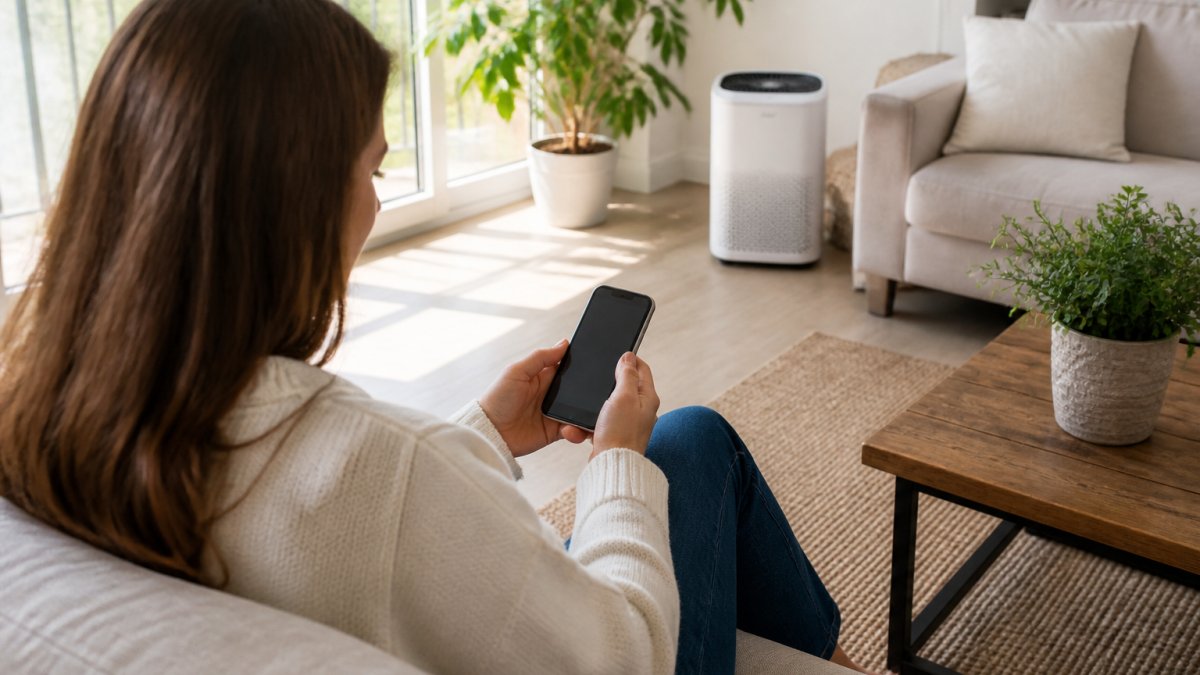
Compare that to continuous operation at a fixed high speed. A unit that runs flat out for 24 hours consumes far more power than one that idles at low speed most of the day and ramps up for short bursts. The U.S. Environmental Protection Agency’s indoor air quality resources notes that source control and ventilation reduce how hard filtration equipment must work, which supports letting sensors do the throttling.
But “turn on auto mode” is where most guides stop, and it is not enough. Auto mode only saves energy if configured to match your home. Here is how to set it up.
How to Configure Auto Mode So It Saves Energy
Most smart purifiers expose the same handful of app controls, with consistent functions under different names.
- Sensor threshold or sensitivity. Sets how dirty the air must get before the fan ramps up. High sensitivity reacts to small spikes and spends more time at higher speeds; lower sensitivity keeps the unit at low speed longer. If your unit runs hard constantly, check this first.
- Schedule or timer. Set higher speeds when you are home and awake, lower speeds overnight or while out. A schedule matches runtime to occupancy instead of running flat out around the clock.
- Auto-off or standby. Many units drop to near-idle standby when air stays clean for a set period, preventing them from holding a medium speed out of habit.
- Fan-speed ceiling. Some apps cap the maximum speed auto mode can reach, keeping the unit from jumping to its loudest, highest-draw setting for a minor spike.
A practical starting configuration: auto mode on, sensitivity at the middle setting, a schedule that lowers the ceiling overnight, and standby enabled. Run it a week, check the app’s air-quality history, and adjust the threshold accordingly.
When Continuous Operation Beats Auto Mode
Auto mode is not always the lower-energy choice. There are real situations where running continuously, sometimes at a fixed low or medium speed, uses less energy and delivers better air.
- Wildfire smoke or heavy pollen days. When outdoor particles stay elevated for days, the sensor keeps tripping auto mode into high speed anyway. A steady medium speed is smoother and quieter than constant ramping, and keeps the room consistently clean.
- Rooms with a constant source. Shedding pets, a kitchen venting into the living space, or ongoing dust intrusion create a baseline load that never fully clears. Auto mode sits at an elevated speed all day, so a fixed setting is no worse and more predictable.
- Sleep and closed-door bedrooms. A small, sealed bedroom reaches clean air quickly and holds it. A low fixed speed overnight can use less energy than auto mode repeatedly nudging the fan up for brief spikes.
- Sensor limitations. Low-cost particle sensors can drift, get confused by humidity, or read clean air as dirty. If your unit runs hard in air that feels fine, a fixed low speed is more honest until the sensor is cleaned or recalibrated.
Scheduling takes this further: higher speeds when you are home and awake, lower speeds overnight or while out. Automation, not brute force, drives air purifier energy savings, but automation you have tuned, not left on defaults.
Auto mode is the best default, not a universal answer. Configure the sensor threshold and schedule, then switch to a steady low or medium speed during smoke events, in rooms with constant particle sources, and overnight in sealed bedrooms. The goal is the lowest average fan speed that still keeps the air clean, and sometimes that means overriding auto.
Energy-Efficient Air Purifier Settings for Every Room
Matching settings to room size is where most people leave money on the table. An oversized unit in a small bedroom can run at low speed and still hit its clean-air target; an undersized unit in a large open space strains at maximum speed and never quite keeps up.
Room coverage is measured in square footage, and clean-air delivery rate, or CADR, tells you how quickly a unit processes air. When CADR fits the room, the unit reaches clean air faster and settles into low-power operation.
For larger open-concept spaces, one oversized unit running efficiently often beats two smaller units both working hard. If you are unsure whether a single unit covers your layout, you can find guidance on sizing it correctly before you buy.
Eco Mode vs Sleep Mode vs Continuous Operation
- Eco mode: adjusts fan speed based on sensor readings, lowest average power draw
- Sleep mode: caps fan speed and dims lights, quiet operation for overnight use
- Continuous operation: runs at a set speed nonstop, simplest but highest consumption
Auto and eco modes deliver the best balance of air quality and low power consumption. Reserve continuous high-speed operation for smoke events or heavy allergen days, not everyday use.
Air Purifier Filter Maintenance: The Hidden Energy Cost
A clogged filter forces the fan to work harder to push the same volume of air, raising power consumption and shortening motor life. Filter maintenance is the least glamorous part of energy efficiency, and the one most owners skip.
A HEPA filter traps fine particles, while an activated carbon filter handles odors, smoke, and gases. As both load up, airflow drops, and the motor draws more power at the same speed setting.
Replace filters on the manufacturer’s schedule and vacuum pre-filters between changes. In homes with pets, dander and hair load filters faster, so check them more often, this is where pet owners see the biggest gap between expected and actual performance.
Running a unit with a saturated filter does not just cost more electricity. It can also reduce the clean-air delivery you are paying for, so you spend more and breathe dirtier air at the same time.
Total Cost of Ownership: Energy, Filters, and Room Coverage
Total cost of ownership combines electricity, filter replacements, and purchase price, divided across the years you keep the unit. Electricity is usually the smallest of the three; filters often cost more over time than the power consumed.
That reframes the question. Chasing the lowest-wattage unit can backfire if its filters are expensive or need frequent replacement. A slightly higher-wattage unit with efficient filtration and long filter life can cost less to own.
Room coverage ties it together: an undersized unit runs at high speed constantly, burning more power and wearing filters faster.
The American Lung Association’s guidance on indoor air quality reinforces that consistent filtration matters more than peak output, which is exactly the argument for right-sized, sensor-driven operation.
Cutting air purifier energy costs is not about finding a magic low-wattage unit.
Frequently Asked Questions
How much electricity does a smart air purifier use?
Most smart air purifiers draw less electricity on low or auto mode compared to their highest fan speed. Auto mode usually keeps consumption closer to the low end because the fan only ramps up when sensors detect particles.
Does running an air purifier on auto mode save energy?
Yes. Auto mode uses the air-quality sensor to adjust fan speed in real time, so the motor idles when particle levels are low and only works harder during cooking, wildfire smoke events, or dust spikes. Compared to leaving a unit on high 24/7, auto mode can cut electricity use substantially because the highest fan speed is where most wattage is consumed. It also keeps filtration effective, since the unit still responds the moment sensors detect a change.
Is it cheaper to run an air purifier all day or only at night?
It depends on your indoor air quality goals. Running only at night lowers electricity use, but allergens, pet dander, and smoke particles accumulate during the day. For homes with pets or seasonal pollen, continuous operation on auto mode often costs less than expected because the fan stays on low speed most of the time. If you want to reduce runtime, schedule the unit to run during high-traffic hours and use sleep mode overnight.
Do air purifier energy savings come at the expense of cleaning performance?
Not when you use smart settings correctly. Auto mode and eco mode reduce fan speed only when the air-quality sensor confirms particle levels are already low, so clean-air delivery stays adequate for the room size. The real risk is clogged filters, which force the fan to work harder and reduce airflow. Replacing HEPA and activated carbon filters on schedule protects both energy efficiency and filtration performance.